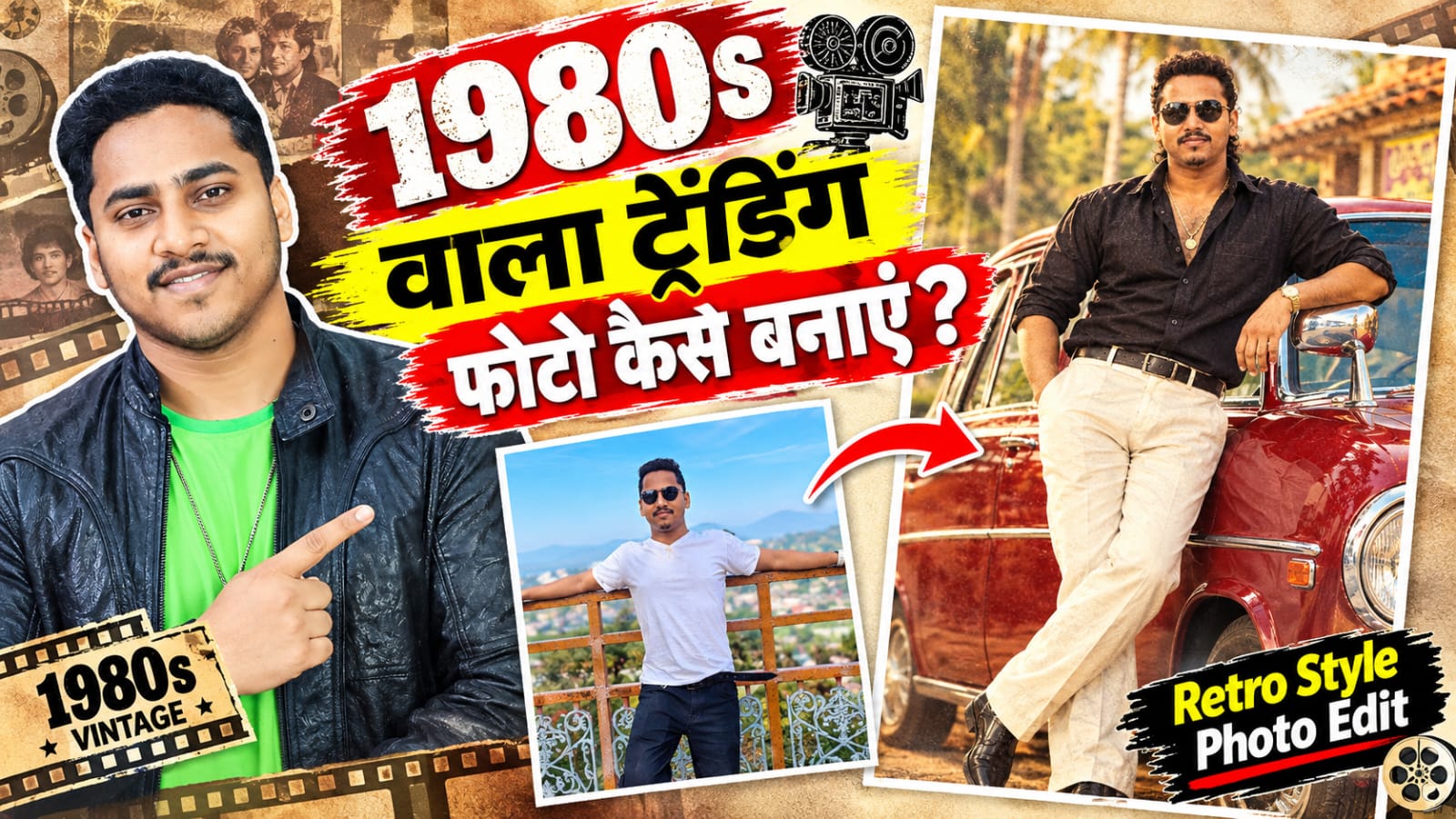
1980 wala viral trending photo kaise banaye
Aajkal social media par 1980 वाला Viral Photo Trend kaafi popular ho raha hai. Is trend mein normal modern photo ko edit karke ek aisa old 1980s look diya jata hai, jisse photo purane zamane ki film, camera aur studio photography jaisi दिखाई देती है. Agar aap bhi apni photo ko 1980 वाला vintage aur retro look dena chahte hain, to ye kaam AI photo editing tools ki madad se aasani se kar sakte hain.Is tutorial mein hum samjhenge ki 1980 wala viral trending photo kaise banaye, apni normal photo ko old-style photo mein kaise convert karein aur AI prompt ka use karke realistic vintage effect kaise create karein.
1980 Viral Photo Kya Hai?
1980 viral photo basically ek retro photo editing trend hai. Ismein photo ke colors, clothes, hairstyle, background, lighting aur camera effect ko 1980s ke according change kiya jata hai.Purane zamane ki photographs mein generally soft colors, film grain, slightly faded tones aur classic studio-style lighting dekhne ko milti thi. AI tools in elements ko recreate karke ek modern photograph ko old-fashioned appearance de sakte hain.
1980 Wala Photo Banane Ke Liye Kya Chahiye?
Is trend ko try karne ke liye aapko ek clear photo ki zarurat hogi. Photo mein face clearly visible hona chahiye aur image ki quality achhi honi chahiye.Aap AI-based photo editing tool ka use kar sakte hain. Tool mein apni photo upload karne ke baad aap ek detailed prompt de sakte hain. Prompt jitna clear hoga, desired retro effect milne ke chances utne hi better honge.
Step 1 – Apni Photo Select Karein
Sabse pehle apne phone ki gallery se ek clear photo select karein. Front-facing portrait ya half-body photograph is type ke edit ke liye useful hoti hai.Koshish karein ki original photo mein face blur na ho aur lighting reasonable ho. Agar photo bahut dark ya low-quality hai, to AI ko face aur details maintain karne mein difficulty ho sakti hai.
Step 2 – AI Photo Editor Open Karein
Ab apne preferred AI photo editor ko open karein aur image upload option par tap karein. Apni selected photo ko upload karein.Photo upload hone ke baad aapko text prompt dene ka option mil sakta hai. Yahin par aap 1980s retro look ke liye apna prompt enter kar sakte hain.
Step 3 – 1980s Retro Prompt Enter Karein
Aap niche diye gaye prompt ko kuch is tarah describe kar sakte hain:
{Prompthigh-detail 1980s retro South Indian film-style portrait featuring a young man with a medium brown skin tone, dark curly hair styled in a layered mullet and a full, well-groomed beard and mustache. He is smiling subtly, looking straight towards the camera with a confident stance,Pose & Framing: Medium-full shot. The man is leaning casually against the hood/side mirror of a vintage deep red vintage car.}
1. Classic 1980s Vintage Studio Portrait (Sabse Popular)*
> {“Transform my uploaded photo into an authentic 1980s studio portrait. Preserve my exact facial features, skin tone, and expression. Style my hair in voluminous 80s feathered retro style and dress me in classic 1980s attire. Use a painted backdrop, warm soft portrait lighting, analog 35mm film grain, muted color grading, and subtle imperfections of an old printed Kodak photograph. Avoid modern digital sharpness.”}
>
*2. 80s Bollywood Hero / Heroine Look*
* *For Men:*
> “Turn this photo into a stylish 1980s Bollywood movie hero look. Preserve my facial features and skin tone 100%. Add an oversized printed collared shirt, high-waisted flared trousers, neatly styled retro hair, a classic 80s moustache, warm golden-hour lighting, cinematic 35mm film grain, and a vintage film still texture.”
>
* *For Women:*
> “Transform this photo into a glamorous 1980s Bollywood heroine portrait. Keep my natural facial structure unchanged. Add a bright vintage silk saree, voluminous curled hair, statement gold jhumka earrings, dramatic winged eyeliner, warm studio key light, and dreamy analog grain like vintage film publicity photography.”
>
*3. 1980s Vintage Street Candid (Bajaj Chetak / Classic Vibe)*
> “Recreate my uploaded photo as a candid 1980s street-style photograph. Keep my face and identity exactly the same. Dress me in retro high-waisted denim and a tucked-in casual shirt with aviator sunglasses. Place me next to a vintage Bajaj Chetak scooter or classic Ambassador car on a nostalgic Indian street with vintage hand-painted shop signs. Authentic 35mm flash photography with natural color fading and film grain.”)
Is prompt ka main purpose AI ko ye batana hai ki photo ko sirf color filter nahi lagana hai, balki overall 1980s photography style recreate karni hai.
Step 4 – Photo Generate Karein
Prompt enter karne ke baad generate button par tap karein. AI aapki original photo ko analyze karke requested retro style mein image generate karega.Result aane ke baad photo ko carefully check karein. Dekhein ki face natural hai ya nahi, background realistic hai ya nahi aur 1980s ka vintage effect properly दिखाई दे रहा है या नहीं.Agar result aapko pasand nahi aata, to prompt mein additional details add karke dobara generate kar sakte hain.
Step 5 – Vintage Effect Ko Improve Karein
1980s look ko aur realistic banane ke liye aap kuch additional elements mention kar sakte hain, jaise analog film texture, subtle grain, faded photograph, warm vintage tones, old studio portrait, soft flash photography aur classic 1980s fashion.
Lekin effect ko overdo na karein. Agar grain ya color effect bahut zyada ho, to photo artificial lag sakti hai. Realistic result ke liye subtle editing generally better दिखाई देती है.
Step 6 – Photo Save Karein
Jab final result ready ho jaye, to image ko save ya export kar sakte hain. Uske baad aap is retro photo ko apne social media profile, status, thumbnail ya creative post mein use kar sakte hain.
Agar aap Instagram, Facebook ya YouTube Shorts ke liye photo bana rahe hain, to export karte waqt image quality high rakhna useful rahega.
1980 Photo Ko Viral Look Kaise Dein?
Sirf vintage filter lagane ke bajay photo mein complete 1980s atmosphere create karna important hai. Background, clothing, hairstyle, lighting aur camera texture ko ek consistent style mein rakhne se image zyada authentic दिखाई दे सकती है.
Aap different concepts bhi try kar sakte hain, jaise 1980s Indian studio portrait, old Bollywood-inspired fashion, vintage family photograph, retro school photo ya classic street photography.
App Download Link – 